
Money
On this page
Most QR questions involving money will feature a single currency with prices or amounts in pounds or dollars. Occasionally, you may see prices or amounts in euros, the common currency of most EU countries.
Americans use ¢ and Australians use c as a cent symbol (equivalent to p for pence in the UK), however these are highly unlikely to appear in the UCAT.
If a QR set uses dollars as the only currency involved, it does not matter whether it is US, Australian, Canadian or New Zealand dollars. Simply focus on the maths as you will not convert currencies with just one involved.
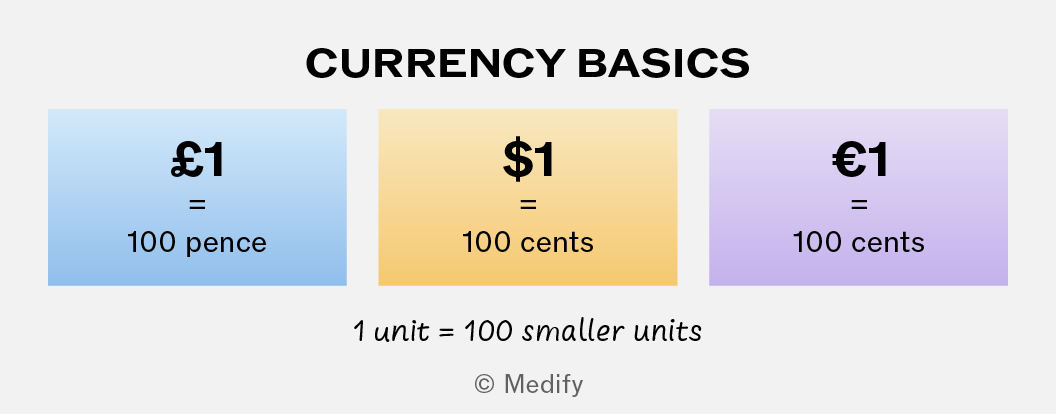
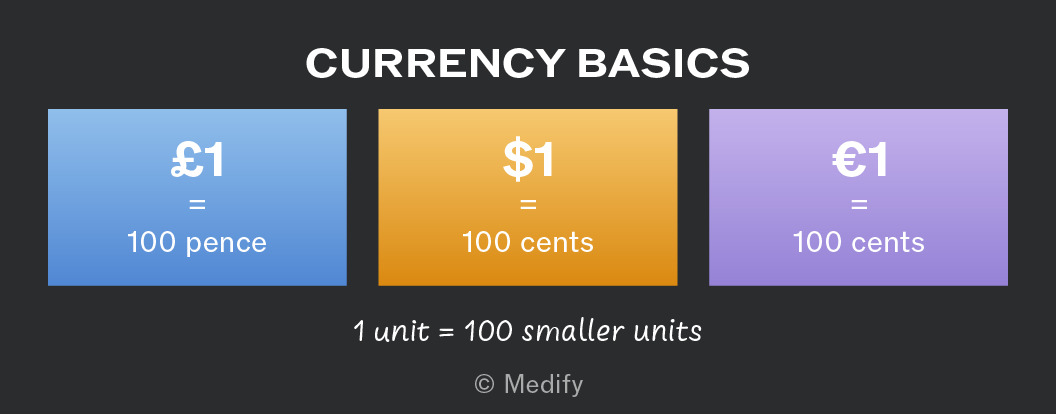
In Quantitative Reasoning, you do not need to know other currencies or recognise currency symbols other than pounds (£), dollars ($) and euros (€).
However, you may need to convert between currencies in some questions about money. Any unfamiliar currency will be given in words and may include decimals.
When you must convert between currencies, the data or question will indicate the exchange rate.
It’s simplest to think of an exchange rate as an equation that can be rewritten as a fraction depending which currency you want to change to.
Use the fraction approach to convert quickly and avoid error:
- Rewrite the exchange rate as a fraction with the new currency as the numerator and the old currency as the denominator.
- This means that multiplying by the fraction will remove the old currency and leave the new currency.
- Take a second to think before you use the calculator.
- If the 1 value is in the denominator, you will multiply the original value by the non-1 part of the exchange rate, resulting in the new currency.
- If the 1 value is in the numerator, you must divide the original value by the non-1 part of the exchange rate, resulting in the new currency. This is because dividing by x is the same as multiplying by .
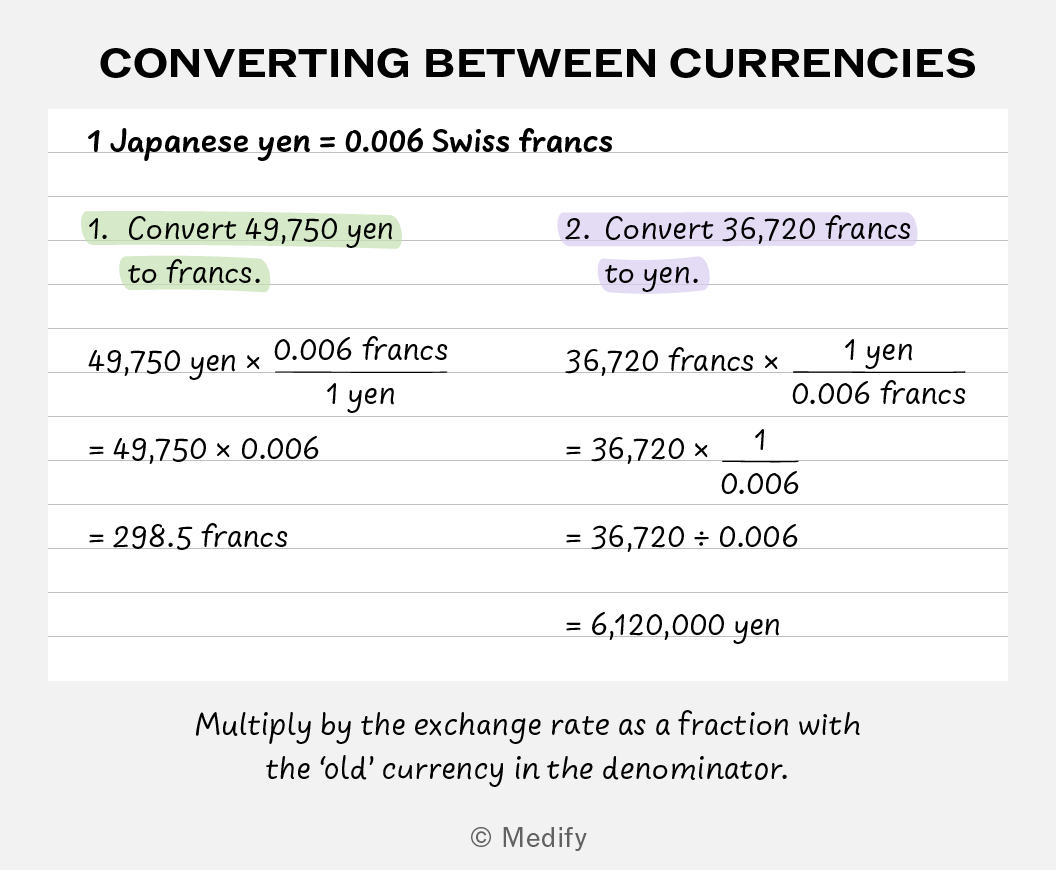
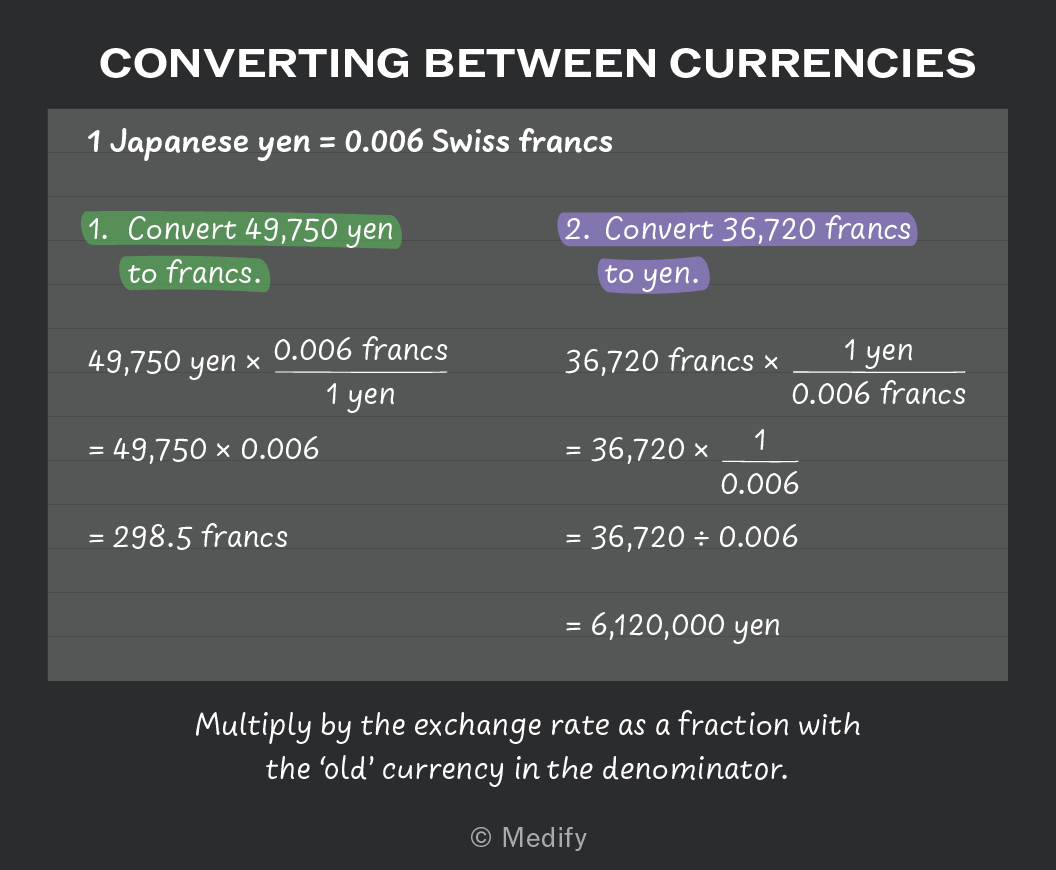
With any currency conversion, the key question is whether to multiply or divide to eliminate the old currency and give the equivalent value in the new currency.
It may help to sense check the relative amount of money based on the exchange rate.
To do this sense check, think to yourself:
Do I get more or less of the new currency for every 1 unit of the old currency?
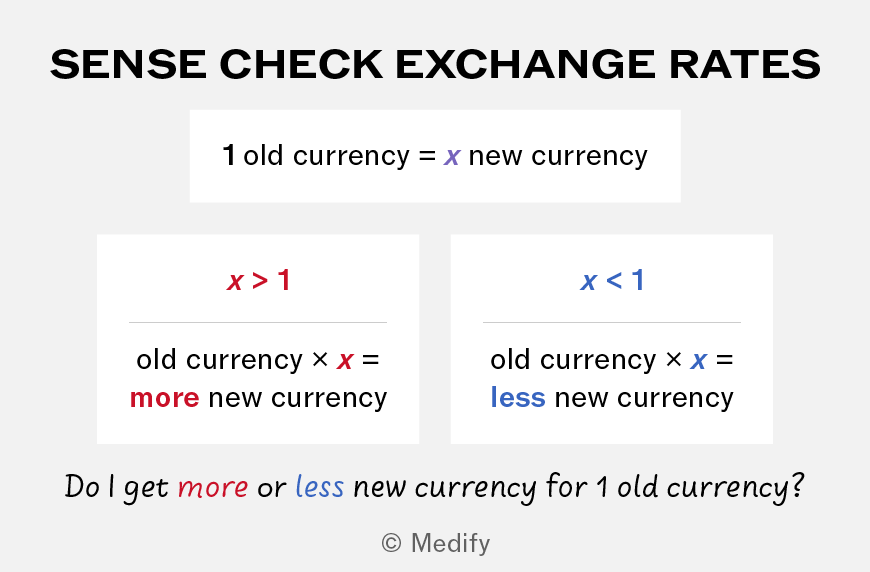
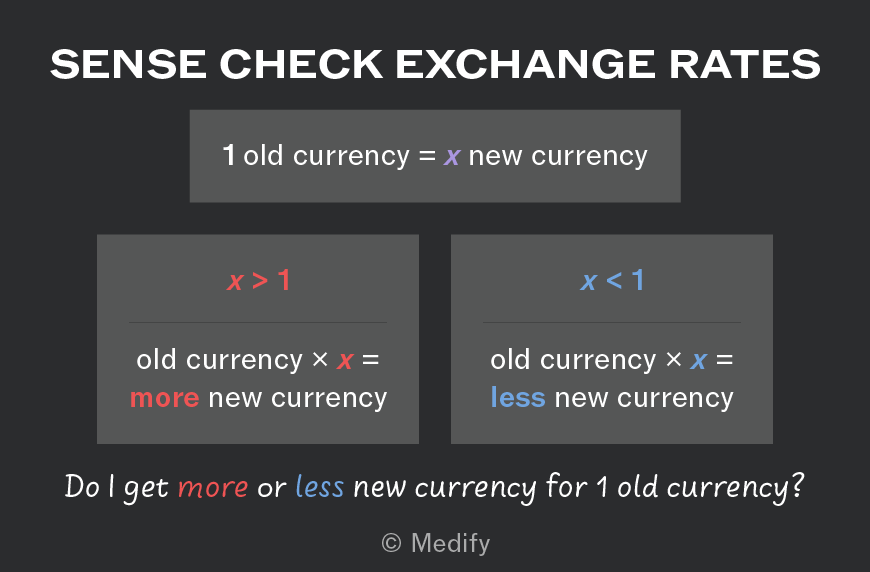
Notice, however, that the logic is reversed when we switch the value of 1.
This time, ask yourself:
Does it take more or less of the old currency for every 1 unit of the new currency?
Let’s say the exchange rate is x old money = 1 new money.
- If x is greater than 1, you will end up with a lower number in the new money.
- If x is less than 1, you will convert to a higher number in the new money.
This is because you must divide by x in each case.
Thus, if you divide by a value between 0 and 1, you will end up with a larger number.
Walkthrough question
Exchange rates
Let's try a QR question using exchange rates.
Some questions will focus on VAT or other taxes and fees applied to prices or income in a single currency. Most often, this will be pounds or dollars.
When calculating with a tax, consider whether it is flat or progressive:
- A flat tax is a single rate applied equally to the whole amount. Sales taxes like VAT are a common example of a flat tax.
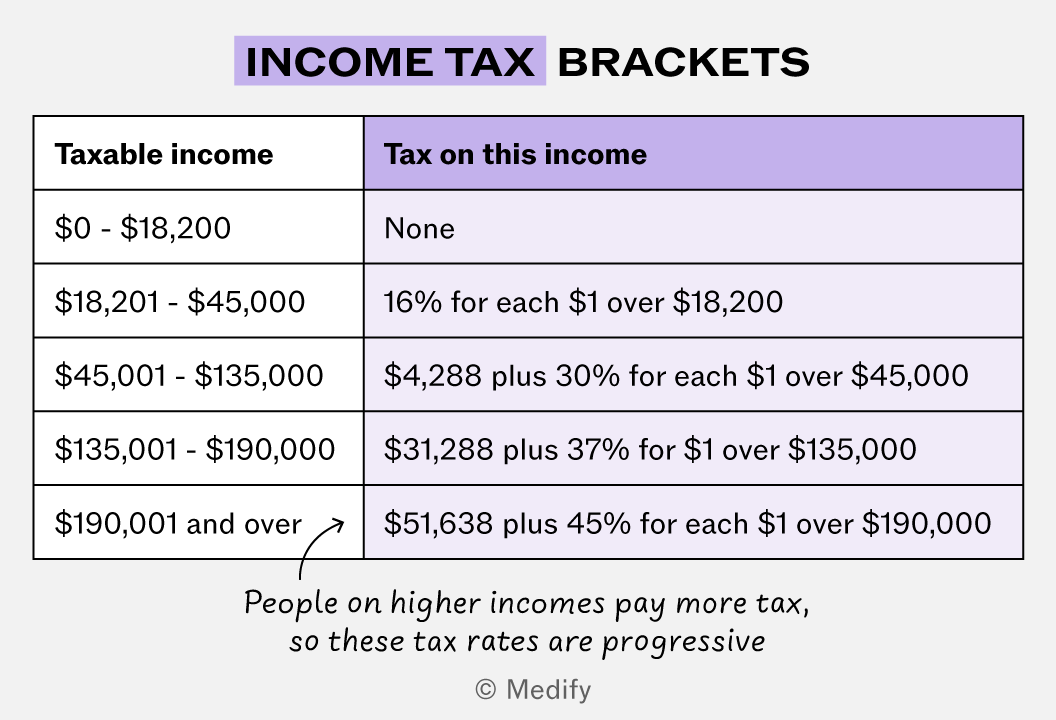
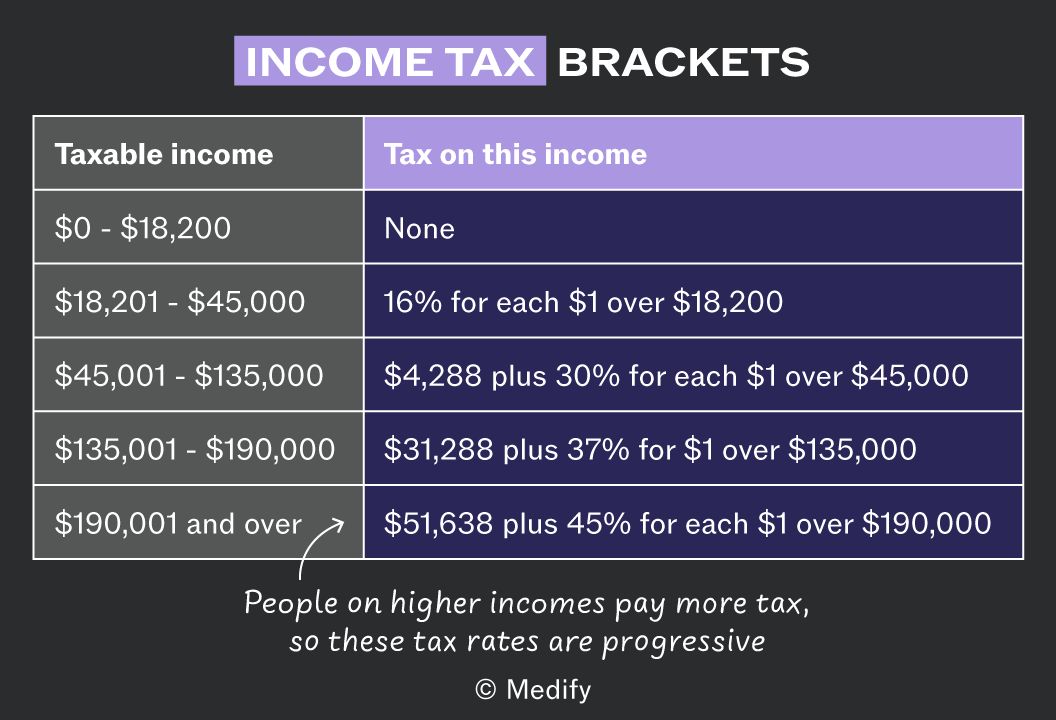
- A progressive tax has different bands which apply sequentially so that higher income levels are taxed more highly. Income tax bands are a good example of a progressive tax.
You are not required to know the terms flat tax and progressive tax for the UCAT. But these real-world concepts can help you unlock the maths required to work with tax in the UCAT.
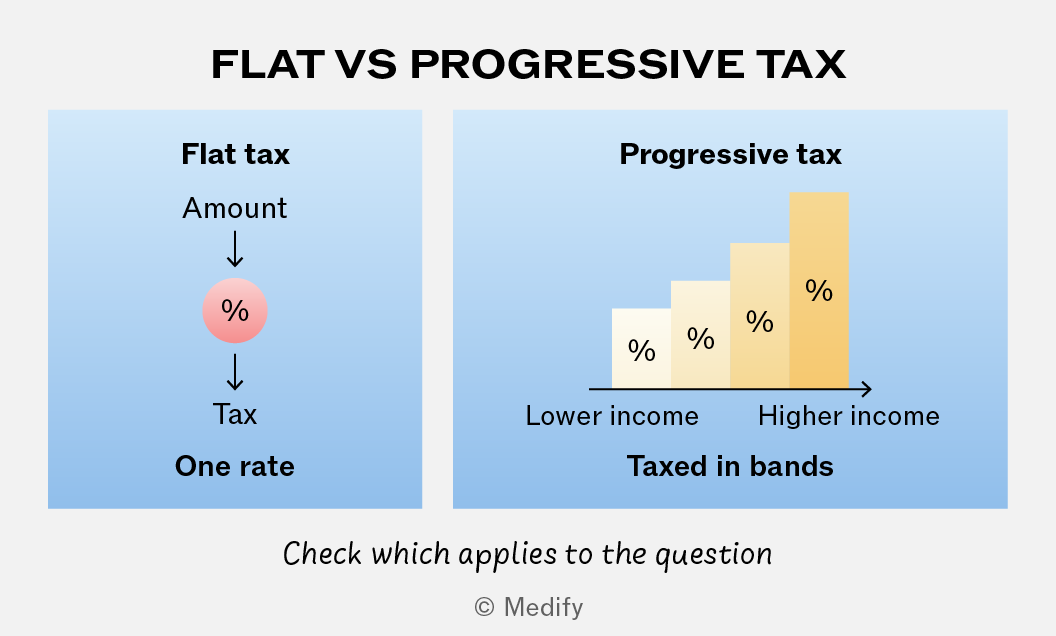
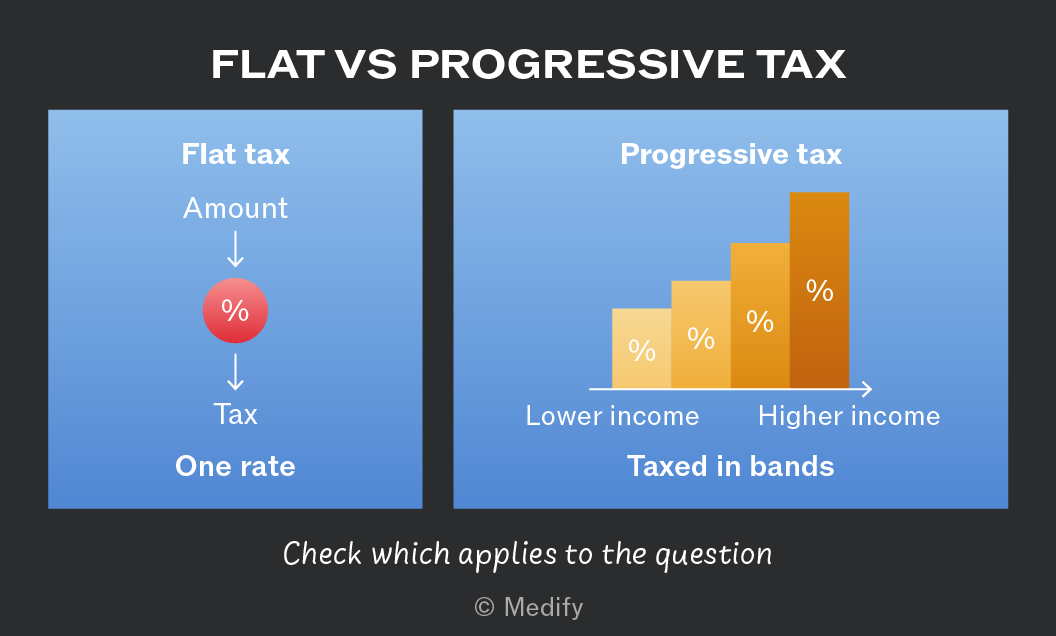
Most tax rates in the UCAT will be flat taxes, with a single ‘flat’ rate on the whole amount or price. However, income tax rates are often progressive taxes.
A progressive tax imposes higher rates on taxpayers with higher incomes. You will see this in the tax brackets that use increased rates for each higher income level.
You do not need to identify that an income tax system is progressive, but you must be ready to work with the brackets to set up and solve for the correct answer.
Walkthrough question
Tax brackets
Try and attempt this QR question using tax brackets.
VAT is simple to work with in one sense since the whole price either includes or excludes VAT.
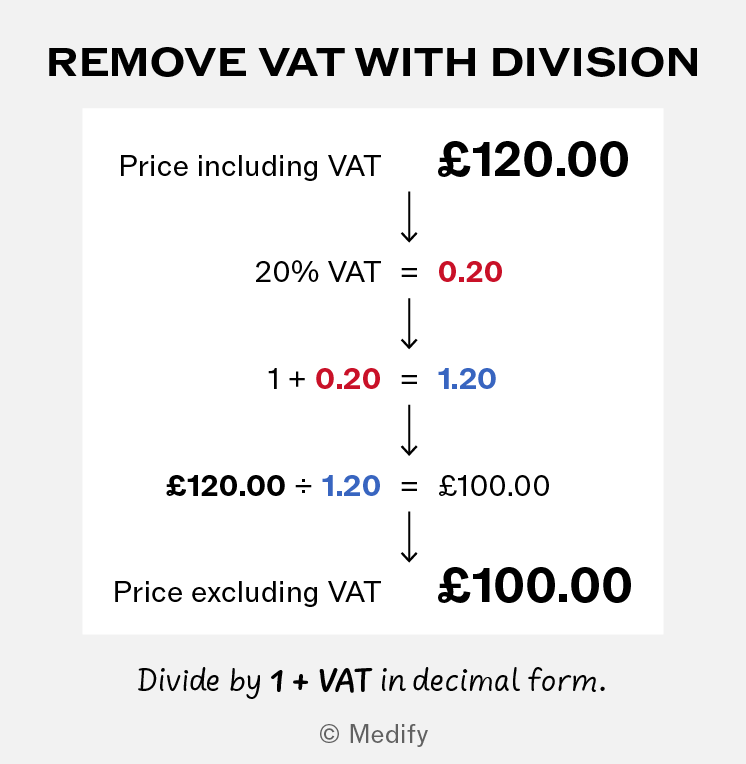
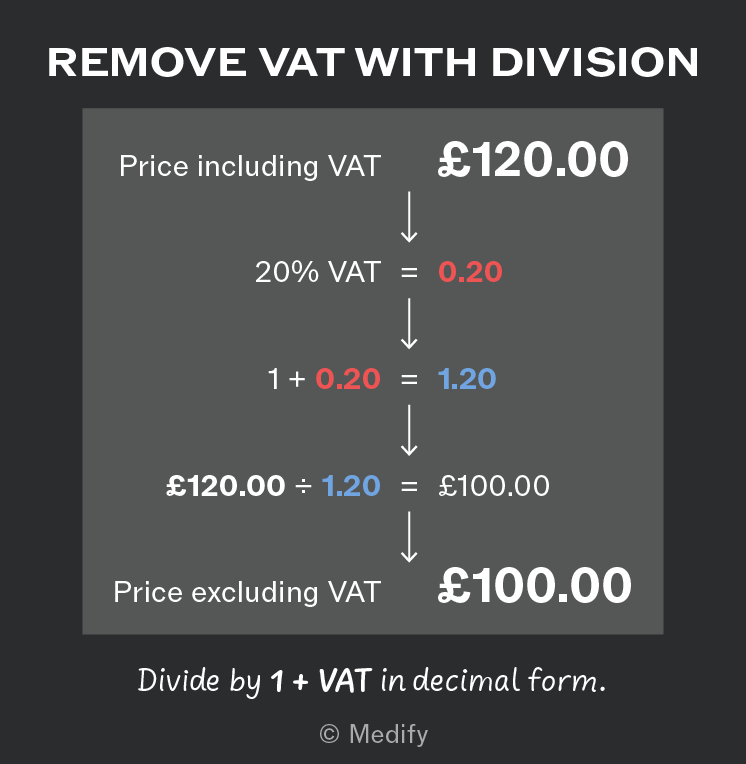
To remove VAT the key is to divide the price including VAT by 1 + the VAT in decimal form to find the price excluding VAT.
VAT will often be 20% in questions; however, it is important to check this is the value required in the specific question.
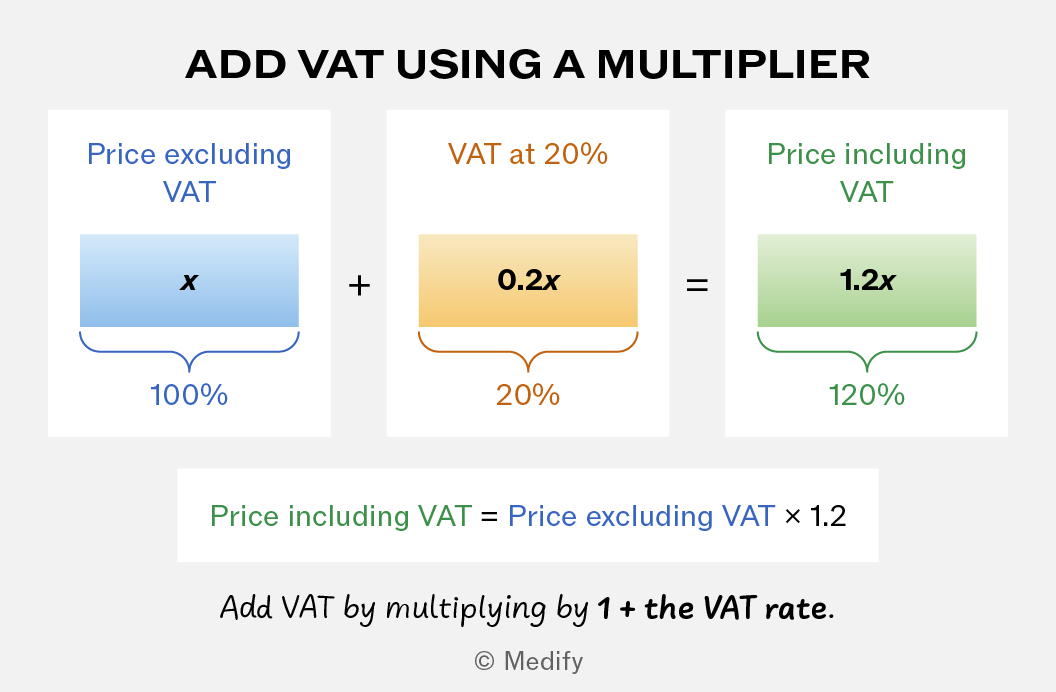
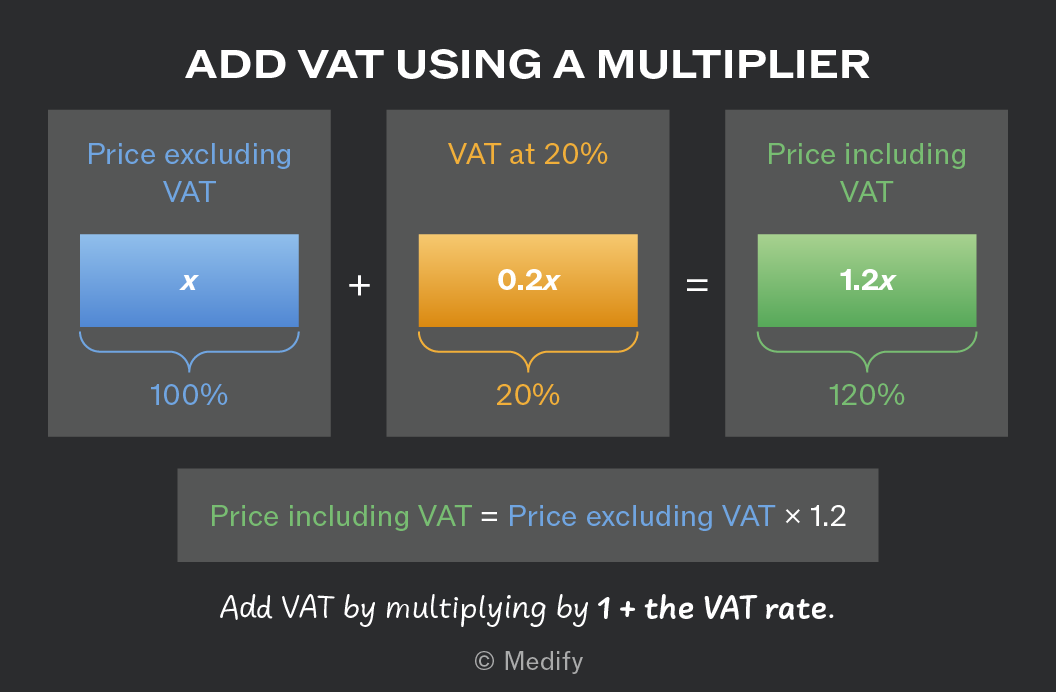
You can apply the VAT principles to questions that ask you to add VAT to a price.
If you know the price excluding VAT and the VAT rate, to solve for the price including VAT you must multiply by 1 + the VAT rate in decimal form.
Again, VAT will often be given as 20% but always make sure you check what value the question gives.
A common maths error is to misunderstand how the VAT percentage works and thus to multiply or divide by the wrong decimal value.
If the VAT rate is 20%, you must either multiply or divide by 1.2 (120%) to add or remove VAT.
If you want to find the price excluding VAT – that is, to remove VAT from a price that includes it – you will find an incorrect value if you divide by 0.8 instead of 1.2.
Similarly, if you need the price including VAT – so you want to add VAT to a price that excludes it – you will find an incorrect value if you multiply by 0.8 instead of 1.2.
This may seem obvious during revision, but we have heard of many students with strong maths skills making this sort of error under timed conditions. Keep an eye on the key VAT principles so you can do your best to dodge wrong answer traps.
Walkthrough question
VAT
Now attempt this question using a VAT rate.